
The question it answers
What is this book, or this page of results, actually doing?
- 01
Install it in Chrome and sign in with your KDProfit account. It appears on Amazon book pages, Books searches, best-seller lists and author pages.
- 02
On a book page: best seller rank, an estimated monthly sales range, royalty per copy and per month, a year of rank history, and one click to add it to Book Tracker.
- 03
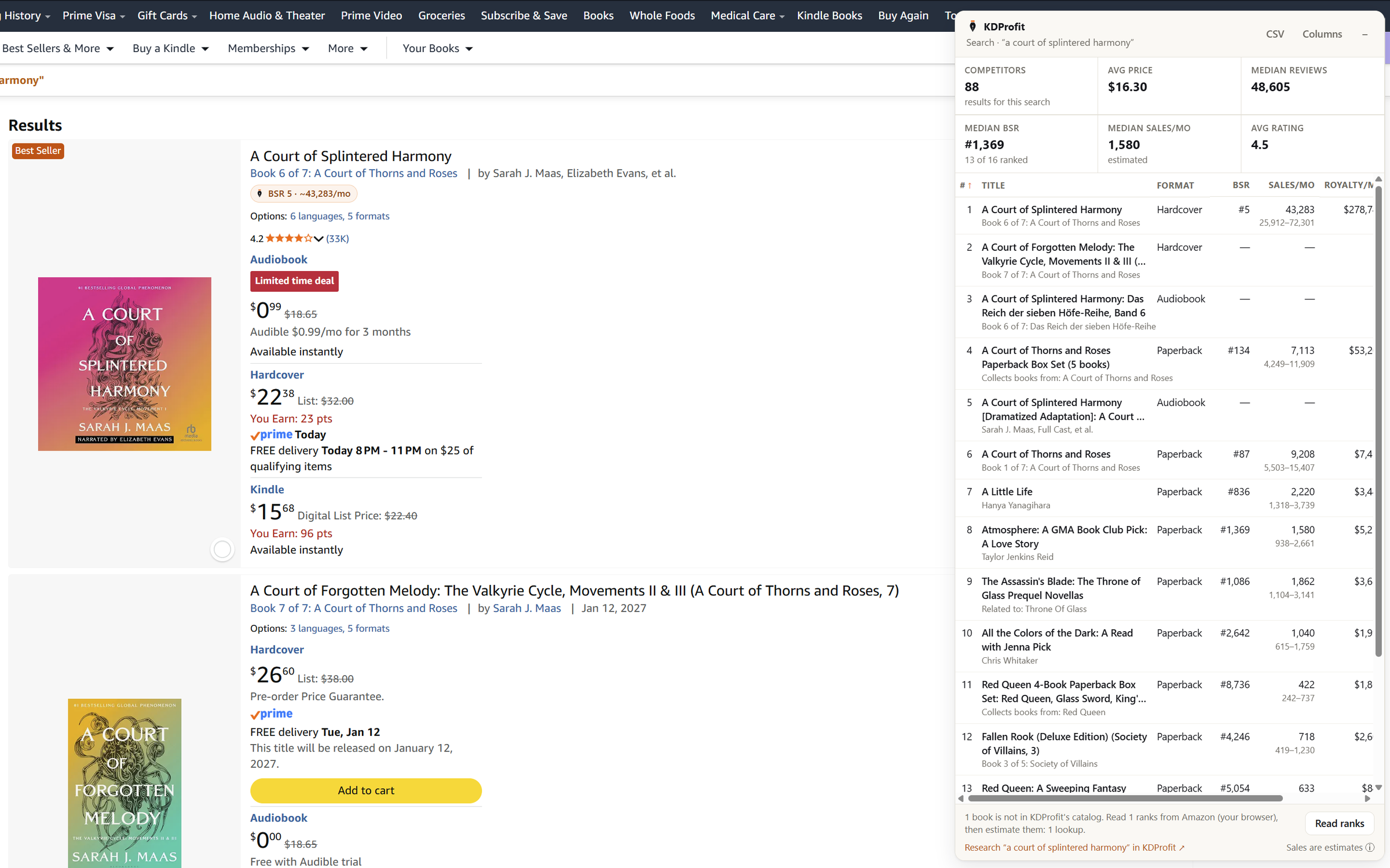
On a list of books: a sortable table with the same figures for every title, badges on the results themselves, and a CSV export.
- 04
Nothing is fetched until you click, and each click shows what it costs. Competitor counts, average prices and review medians are free without signing in.
Chrome Extension, in the product